

can it in canva
prep your canva for an easy-peasy-lemon-squeezy book launch

If you know me, you know I love a good Canva hack. I honestly believe that Canva is one of the most powerful tools you can have in your marketing arsenal as an author. And one of the things that makes it so magical is how versatile it can be in helping you be as much of a pantser or a plotter in your marketing efforts as you want to be.
But whether you plan your content weeks out, or you wake up every other day and think “ah crap, I have to post today”, there are a few things I strongly recommend you prep before doing any sort of book marketing for an upcoming release. (Imagine this was a TikTok, and the voice-over was “things in my Canva account that just make sense” and that well-known Italian song was playing…you know what I’m saying?)
So if I were an author and getting ready to promo a book, here are the five (plus bonus) things I would do first:
Book Brand Kit & Assets:
I announced the other week that I was offering book brand kits as part of the services over at Archetype. The more I get to work with authors, the more this seems like the great unlock in how to help ease some of the social media stress. Before you start creating, build a new brand kit in Canva for your book1. This should include:
High-res book cover (in various iterations: 3D book, tablet/ereader, 2D). My favorite sites that can help you bring these visions to life: DIY Book Covers and MediaModifier (specifically the 3D Book Mockup).
Fonts (cover font and any other book-related fonts)
Book-specific colors (up to 5) - usually, these will be your core cover colors or a variation of your main color palette
High-res image file of your title
When you’re creating for each book (especially as you get to have a bigger backlist) being able to easily toggle between brand kits will make your day so much easier. And it will make your feed look consistent and easily help followers by giving them a visual cue about which book you’re talking about in each post. What are aesthetics if not consistency, honestly?
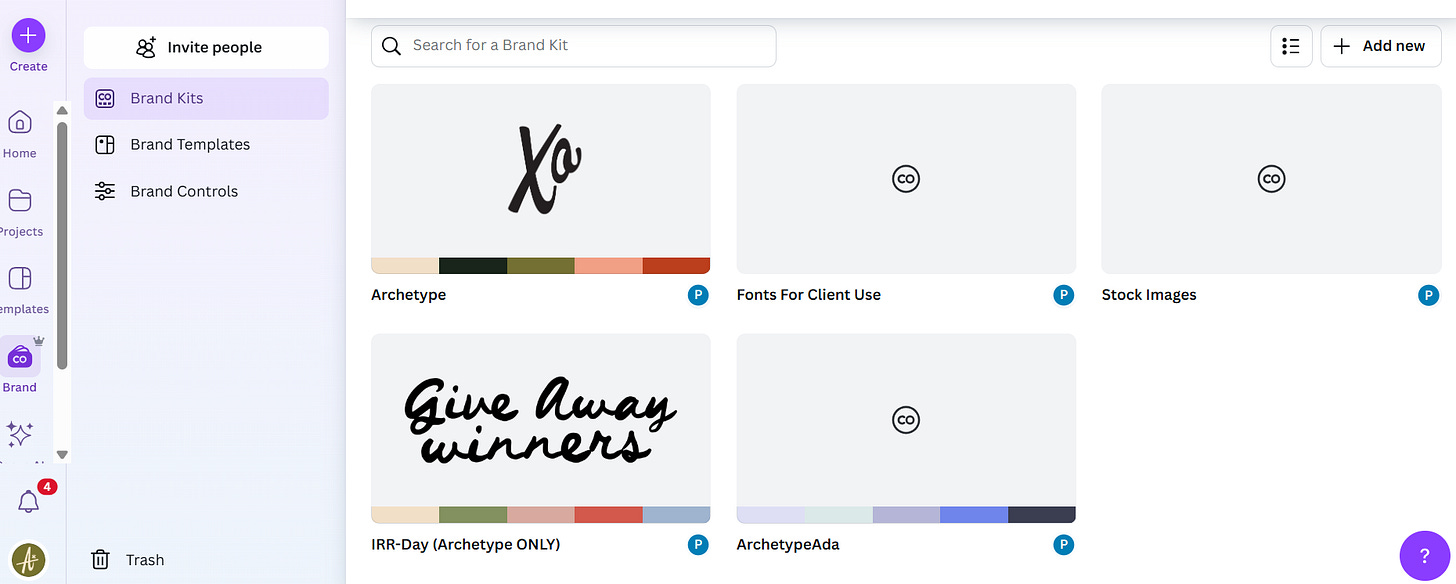
Your brand kits can be found within the left-hand menu, and you can set up one for each of your books! Fonts, colors, images and templates can be saved individually within each. Trope Slide (with and without book cover):
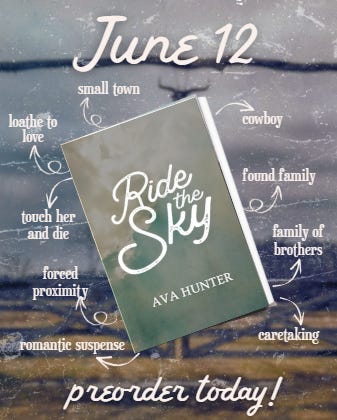
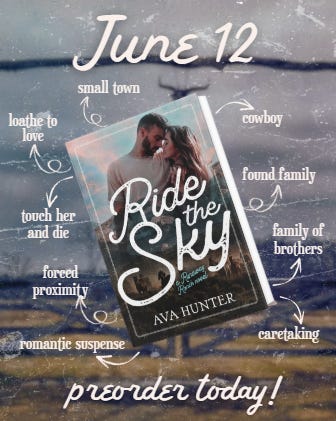
You want to have this in EVERY (and I do mean virtually every) static post. Make it a finishing slide, but have it there as a reminder for anyone new (or repeat) coming across your content. It will help reinforce what your book is about, when it’s available, and - once you have a cover - remind people what your book actually LOOKS like. Build 2 options, one with and one without your cover, so you can pepper this in both pre and post-cover reveal.
Cover Elements & Character Art:
As part of your brand kit, get your cover artist to send you your cover layers. This means all of the different parts of your cover as individual files - the background, any designs or unique elements in it, the characters themselves…you want to have access to the deconstructed cover so you can use pieces of it for your own marketing purposes. Note: while you can absolutely get to a similar outcome by removing the background in Canva, or grabbing the text via the Magic Editor, you’re in a much better position if you get your cover artist to include the elements as part of your contract with them.
You will always want to get any character art done as early in the process as possible and have that ready to go in your brand kit. Depending on who you’ve commissioned and how they are doing it, you will again want it broken down as much as possible - individual characters, with and without a background.
Stock Images:
Brand kits let you add images. So…add those stock images that are the perfect vibes for your book! When you’re creating, having your stock images handy will make life so much easier. Don’t be afraid of reusing images, either. Remember: your posts will not be seen by everyone all the time, so even though you’re over it, your potential readers aren’t.
As a reminder, I did a post on stock images here!
Templates (for quotes or announcements):
You do not need to be a graphic design expert to LOOK like you’re a graphic design expert. When it comes to templates, there are a few things to keep in mind that will make you look super profesh:
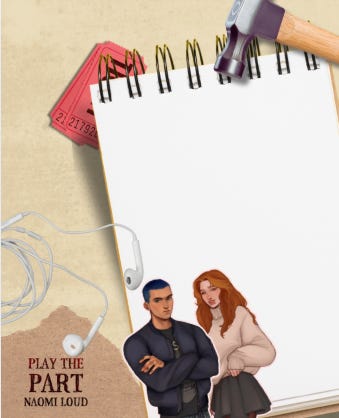
Create 3-4 static templates that you can easily throw a quote onto in a pinch, or use as a preorder incentive post.
You want something that is in your book vibe (use the elements you’ve pre-saved), with your colors, and easily reusable for any sort of post - so, leave lots of white space in the middle for yourself and make sure none of the elements are the focal point
Try textured elements in the background to add depth and a bit of flavor to the post. Search for: “vintage background”, “vintage texture overlay”, “textured background overlay”, “background texture overlay”, “vintage film overlay”, “paper overlay”.
What could this look like? Well…something like this:

Folders, Folders, Folders (+ naming conventions):
One of the few gripes I have with Canva is how it can be really hard to find old posts. I’d say unnecessarily hard, but no one asked me. Anyway, this is not a hack but this is maybe a reminder/friendly push/learn from my mistakes to do 2 crucial things:
a) Save your book content in individual folders for that book. It will make life so much easier when you need to go back and recreate posts for your next book, AND will also let you have a clear view of what kind of marketing you did book over book (and when you match that up with your analytics…well, you have an amazing story to tell yourself)
b) Pick a naming convention that’s easily searchable. I like to name everything based on the book (and author) I am working on (BookTitle_AuthorName_Post). Make life easier for yourself. Trust me.
Optional but useful:
Content Calendar: did you know that Canva has a social media scheduler? It does! And whether you want to post automatically or just plan content on there, it can be super easy to figure out a few week’s worth of content ideas in a one-stop-shop.
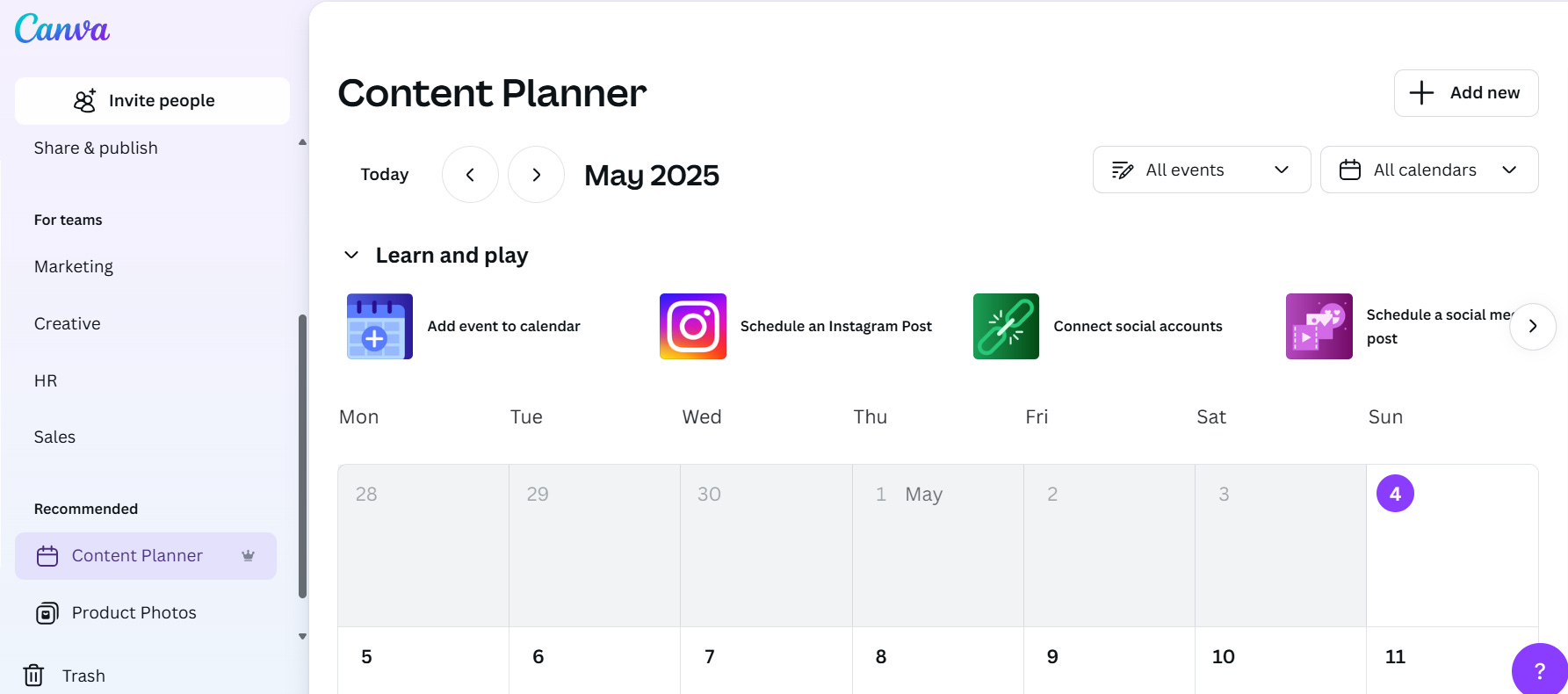
There isn’t a silver bullet for what will make content creation less scary but…planning a bit in advance will be guaranteed to make you feel a little less like you’re free-balling it on a hot summer day.
xo
Ada
If you have Canva Pro (and you should, I highly recommend it), you can have up to 100 separate brand kits!
Thank you, Ada! Always so much great advice! I was wondering. Do you have a suggested number of stock images to include with a brand kit? I feel like I've saved so many pictures (it starts to get overwhelming) and just wondering if it would be good to refine to a set number. Do you have a cut off amount that you stick to? Thanks!