

design like you mean it
become your own UI team within the span of...however long it takes you to read this article

You know that saying “the devil’s in the details”? Well…let me amend it to say that the devil is in the DESIGN, because when it comes to creating any sort of marketing materials…it really is.
There is a lot to be said about the importance of good design elements, not only in helping you stand out in an increasingly noisy social media landscape, but in helping you set the right tone, drive the right kind of action, and deliver on the engagement that will get you the thing you’re ultimately looking for - readers.
Today’s post is all about bringing some key design elements to the forefront of your brains. It’s not meant to be scary or overwhelming - in fact, these (simple and easy to remember) tips will give you a leg up in your marketing journey.
Before we begin, though, the mood for this Substack is the impeccable Killers album “Hot Fuss”. Specifically1…
Let’s begin!
First off, why should we even really care about design?
Wonderful question and one that I know a lot of people ask themselves. This is closely tied for first with “I’m not trying to be a graphic designer here, I’m trying to sell my books so why is this even important?” Valid. Fair. I hear you.
Most of us start off designing like we are decorating a room. We pick something nice, something that we like, we fuss with it a bit and move it around until it “feels right2” and then we post. But real design? Real design isn’t about decorating. It’s about getting into viewer’s psyche and making them feel something with a single image.
It’s a way to stand out in a sea of same. It’s a way to bring your book to life and give it a visual identity that will become your calling card. Most importantly, it’s a way to be as inclusive and open as possible to all your (current and potential) readers.
Every font size, color choice, and spacing decision you make either helps your audience see what matters, or it quietly kills their attention.
Design is less about being a “graphic designer” - it’s not about using Photoshop vs Canva3, or needing to do some fancy Illustrator magic. Actually, good design is tool-agnostic. Design is about thinking like a user interface expert. Think of every good experience you’ve had online…100% of the time, the majority of the time creating that on the back end was spent on the user interface design, and not the actual final pretty elements you see.
Hierarchy matters in design (sorry!)
People don’t read first. They scan. Our brains are inundated with SO MUCH information these days and we only selectively engage. Your job is to build a visual map the brain can navigate without effort.
Headlines: 3–5× larger than your body text. If your caption text is 16pt, your headline should live around 48–60pt
Subheadings: Roughly 1.5–2× the body text
Body text: Minimum 16pt on mobile, ideally 18–20pt on desktop or long-form posts
One focal point per design. Everything else should orbit around it
When hierarchy is off, people feel it even if they can’t explain why. And most can’t explain why. Their eyes just dart, they scroll past, they move on.
You have one job: tell their brain where to go next. At the end of the day, for how complex we are, we let a lot of our subconscious guide the way.
Quick test: Zoom out until your post looks like a thumbnail. Can you instantly tell where your eye lands first? If not, you should fix it.


Contrast Can Make or Break You
Contrast isn’t just a design principle - it’s survival. It’s how the human brain finds clarity in chaos. It’s how you get someone to pay attention.
Like a camera focusing, the human brain doesn’t see objects first. It sees differences.
That’s why flat, low-contrast designs die fast online.
Color: Go dark on light or light on dark. A contrast ratio of 4.5:1 or higher ensures accessibility. (Use WebAIM or Contrast Checker… you’ll be shocked how “barely readable” your soft greige actually is4)
Size: One element should always be at least 3× larger than the rest… it tells the viewer “start here.”
Weight: Combine bold headers with lighter body text for texture.
Space: Contrast isn’t only visual, but it’s spatial. A single bold headline floating in whitespace is magnetic.
Moral: Contrast gives hierarchy its backbone.


Fonts! Where all your money will go (you just wait)
Fonts are personality, pacing, and trust...plus they look super cool. But they can also be overwhelming and stressful to pick. What do they all mean?
Your Font Cheat Sheet:
Serif fonts (i.e. Playfair, Merriweather): mature, literary, trustworthy
Sans-serif (i.e. Inter, Poppins, Lato): modern, clean, digital
Script/display fonts: emotional, intimate, use in small doses
The golden rules of typography:
Use two fonts max: one for headlines, one for everything else.
Body text: 16–20pt for comfort reading. My sweet-spot? 19pt.
Line height: 1.4–1.6× font size. Anything tighter feels claustrophobic.
Tracking (letter spacing): +5% for all caps text.
Avoid ultra-light weights because they will absolutely vanish on mobile.
Never put script fonts in paragraph form because they look like a love letter no one asked to read. Use scripts sparingly for emphasis.
Font is life. The wrong font is a wrong tone of voice.
Color is a psychological tool…use it!
Color builds mood and meaning. Every hue pulls emotional weight, but contrast keeps it functional. And this isn’t me just saying it - this is backed by psychology.
How to use color like a strategist, not a stylist:
Pick a palette: 2–3 primary colors + 1 accent
Lean into the emotion you want:
Warm tones (peach, coral, amber) imply energy, excitement, intimacy
Cool tones (lavender, slate, sky) imply calm and reflection
Neutrals (cream, stone, fog) imply balance and sophistication
Purpose: Use color to signal action or attention - links, CTAs, etc
Don’t compete: The louder your color, the quieter everything else must be
If you want to learn more about specific colors, there’s a good overview here. And if you ever want to talk about my visceral reaction to the color red, well…let me know5.
Blank space, baby
In UI design, whitespace is how you create trust. You need space. You need the silence. Clutter reads as chaos, and chaos feels unsafe. Get that blank space going, besties.
Leave at least one line’s worth of space between sections
Keep consistent padding around text blocks (8px, 16px, or 24px system works beautifully)
Give your content rhythm: bold then pause then breathe then move on
On carousel posts: give every slide one visual anchor and one line of text to breathe around it
Whitespace isn’t silence, it’s pacing. Like a well-place ellipses. I love a good ellipses. Don’t come at me.
Always keep accessibility top of mind
Beautiful design that’s unreadable isn’t beautiful, but it is exclusionary disguised as art.
Make your design usable by everyone6:
Font size: minimum 19pt on Instagram
Line height: 1.2-1.5×
Avoid red/green color combos (this is specifically for color blindness)
Add text contrast overlays on photos
Always check your color contrast ratio (pale text over pale backgrounds is a content graveyard)
Add alt text to your visuals when posting (especially outside of Canva and on your website)
Accessibility is how beauty becomes integrity and trust. AND Canva has a built-in accessibility checker so you never have to wonder.
Consistency = Design as Trust
When your posts feel familiar, your audience relaxes. They recognize you before they even read your name, and that’s the holy grail of digital branding.
We’ve talked about branding before but, as a refresh your content should always play within:
One palette
One (core) typography pair
One rhythm of spacing
One tone of contrast
Then refine it, don’t reinvent it. Use those basics as your toolkit for consistency without being cookie cutter.
Consistency isn’t boring...it’s worth its weight in branding gold.
Get with the FLOW (get it? because…it flows?)
Good design has rhythm, it almost feels like a song. Like something that makes you want to move and flow and It should guide someone’s eyes from top to bottom, left to right, without friction.
OK…how do you create that flow?
Lead with a headline that pulls
Add an image or visual cue that keeps the viewer moving
Break the text before their attention breaks
Anchor the eye again with a visual or bold statement
There are two “standard” design strategies: Z and F. This talks about how you use all of the above strategies to get readers’ eyes moving across your asset. If you are curious to learn more, this article is pretty handy!
And…that’s pretty much it. It was a lot, right? A lot of number and percentages and this 3x bigger than this other thing…
If you forget everything else, get caveperson about it and remember this:
Big text. More contrast. Less color. More air7.
That’s the difference between design that looks “pretty” and design that performs.
Happy designing, friends!
xo
Ada
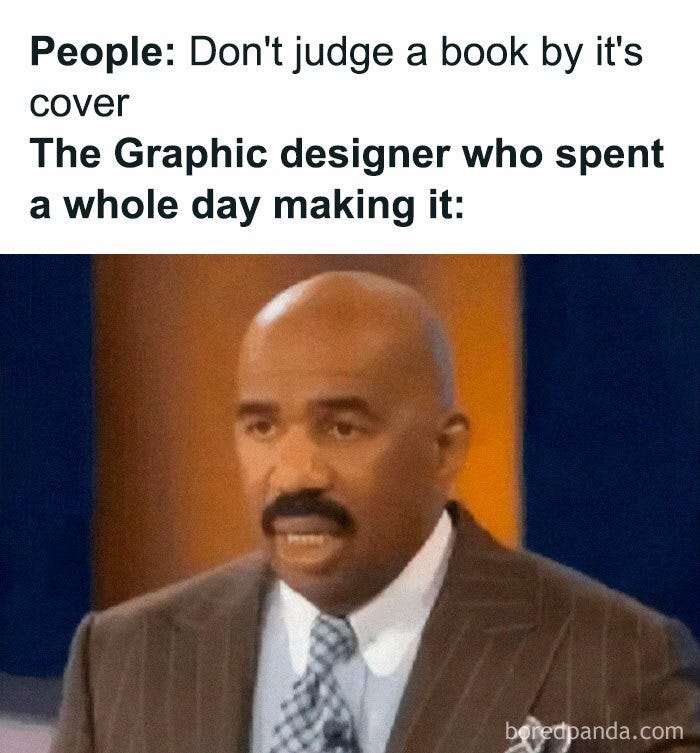
P.S. One final meme for you:
Design like you mean it (do do do, do do-do do). Design like you mean it.
The kids call this “vibes”
By the way, in case you wanted my take on the Threads discourse: use whatever the hell you are comfortable with to design. If you want to go down the MS Paint route, I will be the first to cheer you on. These design tools are expensive and have a steep(er) learning curve…don’t make your life unnecessarily hard just to keep up.
Canva has a lot of this built in already under “File”—> “Accessibility”. Click it. Take the advice.
Spoiler alert - I don’t love it. BUT THAT’S A ME THING!
I am incredibly passionate about this for ANYONE looking to make their social media inclusive. Whether you’re an author - especially if you’re an author - or a content creator. I live work life knowing that all of my campaigns need to meet accessibility/disability standards in my province. And as our screens get smaller, and people are in dark mode more often, or with their brightness lower, or when they simply have any sort of vision impairment - you want to make your marketing as BROAD REACHING as possible, even if that means you sometimes give up a teeny tiny bit of the vibe.
You can sing that Jordyn Sparks song “No Air” to yourself if it helps
Thank you for this!! I learned SO much! <3